

Computer glasses are made for people who spend long hours looking at screens. They are designed to make screen viewing more comfortable by cutting glare, improving focus at screen distance, and reducing visual strain. For many people, they can help. However, the right features matter more than the label on the frame.
Bottom line: Computer glasses can help with screen comfort, but they work best when the lens features match your actual problem.
Computer glasses are glasses designed for the distance between your eyes and your screen. That is usually closer than driving distance but farther than a book. Because of that, they are set up differently than regular glasses or reading glasses.
Some pairs include anti-reflective coating, blue light filtering, or a prescription tuned for screen distance. Others use mild magnification for people who lean in or struggle to focus during long work sessions. The goal is simple: make screen time easier on your eyes.
Regular glasses are usually built for general distance vision or everyday wear. Computer glasses focus on screen comfort. That can mean less glare, clearer viewing at mid-range distance, and less effort to keep your eyes locked on the screen.
Computer glasses are most often used to reduce screen glare, visual fatigue, squinting, and end-of-day discomfort. They may also help if your current glasses feel fine for most things but not for long screen sessions. If you want a broader look at screen-related strain, read our guide to computer vision syndrome.
They can help, but not for every person and not for every symptom. The biggest wins usually come from reducing glare and matching the lens to the distance you actually use. That is why some people notice quick relief while others feel little change.
If your problem is harsh overhead light, monitor glare, or constant squinting, computer glasses may be worth trying. If your problem is an outdated prescription, dry air, poor blinking habits, or a bad desk setup, glasses alone may not fix it.
| Feature | What it may help with | Best fit |
|---|---|---|
| Anti-reflective coating | Cuts reflections and helps reduce squinting | Bright offices, overhead lights, dual-monitor setups |
| Blue light filtering | May improve comfort for some users, especially at night | Evening screen use and people bothered by harsh screens |
| Screen-distance prescription | Makes screen viewing clearer and easier to hold | People who already wear glasses or notice blur at the monitor |
Computer glasses make the most sense if you spend hours at a screen, notice glare, or feel your eyes working too hard by the end of the day. They can also help if you keep moving closer to the monitor or taking your glasses on and off to read the screen.
If your eyes burn, blur, water, or ache no matter what pair you wear, the issue may be bigger than the lenses. In that case, it helps to look at your symptoms more closely. Our page on eye strain symptoms may help you sort out what you are feeling.
This is often the most useful feature for screen work. It reduces reflections from monitors, windows, and overhead lights. As a result, your screen can look clearer and your eyes may not work as hard.
Blue light filtering is one of the most talked-about features. Some people like it, especially for evening use. Others notice little difference. It can be part of a good pair, but it should not be the only reason you buy computer glasses. For a more focused look at that topic, see our page on blue light glasses.
If you already wear glasses, this feature can matter more than blue light filtering. A prescription tuned for your monitor distance can reduce the strain that comes from trying to force regular distance lenses to do a different job.
Lightweight frames, a comfortable bridge, and a good lens size all matter. If the glasses slide, pinch, or sit too low, you will not want to wear them long enough to benefit from them.

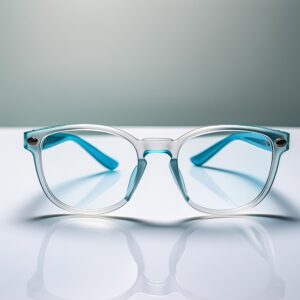
Computer glasses are most helpful for people who spend long stretches at screens. Office workers, remote workers, students, and frequent laptop users are common examples. They may also help people who work under bright lighting or near windows that create glare.
They can also be useful for people who already wear prescription glasses but still struggle at screen distance. In those cases, the issue is often less about “more protection” and more about better lens setup for the task.
If glare is the main issue, start with anti-reflective coating. If the screen looks harsh late in the day, blue light filtering may be worth trying. If the text looks soft or you lean toward the monitor, you may need screen-distance correction instead.
Think about how far you sit from your screen, how many hours you use it, and whether you switch between laptop and desktop. That helps narrow down the right lens setup. If glare is a big problem in your space, our page on reducing screen glare may help alongside glasses.
If text looks blurry even after you clean the screen and adjust the brightness, computer glasses may not be the full answer. A stale prescription can create the same kind of strain people often blame on screens alone.
If you have frequent headaches, ongoing blurry vision, eye pain, or symptoms that do not improve with breaks and setup changes, it makes sense to get your eyes checked. Computer glasses can improve comfort, but they should not be used to ignore persistent symptoms.
Computer glasses can be a smart upgrade if screen time leaves your eyes tired, strained, or annoyed by glare. The best pairs are not just “blue light glasses.” They are glasses that match your screen distance, your lighting, and your daily habits.
Keep your focus on the features that solve your real problem. That usually leads to a better result than buying based on hype alone.
